Professional Linux Support, Hosting & Security
Services Empowering Businesses Worldwide

Tuesday, 21 April 2009

Lightweight PHP Class to export to Excel XLS Format

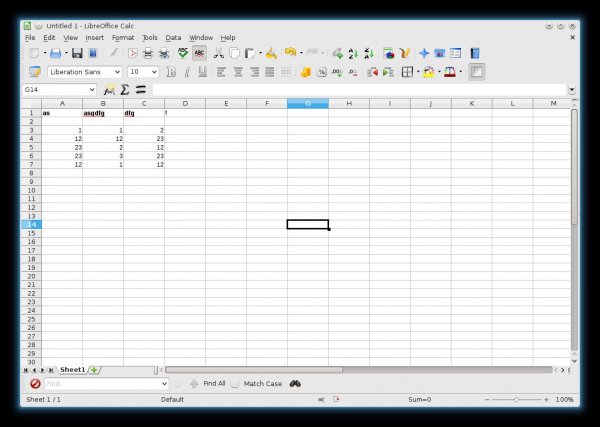
PHP export to XLS class

Here is a lightweight, simple and fast PHP Class which exports array data to Excel's .XLS format.

The array data could come from MySQL or any other data source, but as long as its in the normal PHP array format, then this script will produce a xls out of it.

I wrote this because we didnt want any of fuss or bulk many other exporting scripts seemed to have. It is being released for free under the GNU LGPL Licence.

Project Page

phpexportxlsclass

The class usage is documented within the zip. It also follows;

<?php
/*

A quick script to demo the use of the export-xls.class.php script.

*/


//include the export-xls.class.php file
require('export-xls.class.php');


$filename = 'test.xls'; // The file name you want any resulting file to be called.

//create an instance of the class
$xls = new ExportXLS($filename);


//lets set some headers for top of the spreadsheet

$header = "Test Spreadsheet"; // single first col text
$xls->addHeader($header);

//add blank line
$header = null;
$xls->addHeader($header);

//add 2nd header as an array of 3 columns
$header[] = "Name";
$header[] = "Age";
$header[] = "Height";

$xls->addHeader($header);

/*
Lets add some sample data

Of course this can be from a SQL query or anyother data source
*/

//first line
$row[] = "Jack";
$row[] = "24";
$row[] = "6ft 5";
$xls->addRow($row);

//second line
$row = array();
$row[] = "Jim";
$row[] = "22";
$row[] = "5ft 5";
$xls->addRow($row);

//add a multi dimension array
$row = array();
$row[] = array(0 =>'Jess', 1=>'54', 2=>'4ft');
$row[] = array(0 =>'Luke', 1=>'6', 2=>'2ft');
$xls->addRow($row);

/*
 You can return the xls as a variable to use with;
 $sheet = $xls->returnSheet();

 OR

 You can send the sheet directly to the browser as a file
*/

$xls->sendFile();


?>

11 comments:

  1. Hi,

    Yours is s good class. But how can u format so that the header text background color is something and the min length of each cell data can be customised?

    Thanks,
    ocptime
    ReplyDelete
  2. Hi Ocptime

    Thanks for the comment.

    At the moment it is not possible to format the cells in anyway. However i may look into trying to get it to do that in a future release.

    So watch this space ;)
    ReplyDelete
  3. Hi.

    I'm from France and i wonder how to set the charset of the file in order to have char like é à è...

    Regards

    Alexandre
    ReplyDelete
  4. alex1er : Sorry i dont know how to apply this to a xls.
    ReplyDelete
  5. hi
    Your class is best,,
    i maybe spend 2-3 hours on google but your class is the only one that working
    thanks a lot
    ReplyDelete
  6. ersin: Thanks. Its always nice to get a high-five!
    ReplyDelete
  7. Leenix / you have committed small genius with this class - after fiddling around with phpexcel (phpexcel.codeplex.com) and its completely heavyweight (and possibly broken?) approach it was sheer joy to find your minimalist solution to exporting Excel XLS data. You can add a high-five to the collection! :)
    ReplyDelete
  8. hjhndr: Thx! High five back at ya.
    ReplyDelete
  9. excelent scripe! u just made my day :) tnx
    ReplyDelete
  10. numeric or float value is not getting reflected in export excel file. can you suggest some solution for this?
    ReplyDelete
  11. Try casting the data as the type you want before sending it to the export script. e.g. $field = (float)"34.92";
    ReplyDelete